Michael J. Swart

May 14, 2013

Myself in 2004

Filed under: Miscelleaneous SQL,SQLServerPedia Syndication — Michael J. Swart @ 11:53 am

This is me in 2004

9 years ago

I’m in the center with the glasses

This picture was taken in an electronics factory in Zhongshan, China.

I’m not a big traveler and I never have been.  I thought the opportunity to see China was a once in a lifetime thing. In my case, I found myself making the trip three times courtesy of my employer. It wasn’t the adventure I thought it would be. Unlike most tourists to China, my memories don’t include much else other than hotels, ferries and factory locations like the one you see here. I remember counting the days until each trip was over.

When I look at this picture, I remember a lot of things. I remember the anti-static lab coats and I’m reminded that I used to have more hair than I do now. The machine in front of me is meant to test a motherboard for the upcoming XBox 360. The guy on the right was an engineer, a hardware guy. My job was to install and support the software that collected test results and store them in a SQL Server database.

In Over My Head?

I remember the other people in this photo. It was an amazing assembly of talent. The people here were smart. But not just smart, they were smart and competent. They were ambitious and passionate about what they do and it’s rare to see that. I felt a little overwhelmed and I felt a little out of place. Everyone seemed so confident about what needed to be done. I guess I was no different. I knew what I had to do, but the confidence I showed was half acting.

For the most part, I was lucky. I installed the software and waited for a problem to support. It’s a testament to the company I worked for that I was able to wait more than work. But it wasn’t all super-smooth sailing.

Eventually I was asked to troubleshoot a burning issue and I wasn’t used to the pressure; hopefully it didn’t show. I felt like I was thrown into the deep end in order to learn how to swim. The head guy asked me to resolve something (and by the way Michael, the factory can’t operate until you do). The issues I faced were new to me and the pressure was on. Here’s a small subset of the kind of things I was asked to tackle:

  • Replication configuration issues. <bleah!>
  • Log files filling up (because replication’s log reader wasn’t operating properly)<ouch>
  • Concurrency bottlenecks. <just the beginning of the rest of my life>

In my career up until then, I was always able to ask a more experienced colleague for help. Here was the first time where I was it. There were no other colleagues to call on. If I couldn’t crack this nut, it wasn’t going to get cracked. In this case it was me and books online vs. SQL Server 2000. I did eventually get through those days and it felt amazing to beat those issues. But during the crisis itself, there was some anxiety.

Out of the Deep End

I came away from those experience with a bit more confidence than I started with. It was the first time I thought, “I’m fine, I can handle this”. By the end of my trips to China, the confidence I was showing wasn’t acting any more. I wasn’t just solving such crises, I was avoiding them. And back in Canada, I was asked to be on-call overnight in order to field questions from others in China.

I don’t believe there exists a training course anywhere that is equivalent to the confidence gained by solving these FIX IT NOW crises.

And it didn’t stop there, these other things helped boost my confidence even further:

  • SQL Server released 2005 with features that made a DBAs life so much easier than when supporting 2000.
  • I left my software development job for a different job focusing on databases full time.
  • twitter and #sqlhelp happened. It made me feel like I had the world on call. I don’t use it as much as I used to, but it’s nice to now it’s still there if I need it.

The Guy in the Picture

I’ve showed this picture a couple times to others in the past year. Each time I was encouraged to blog about it. This is me doing that. I have a lot of stories I could tell about these trips. In fact, I wish now that I kept a journal. So dear reader, if sometime in the future, we find ourselves hanging out and have nothing to chat about, ask me about 2004 Michael. Until then…

April 17, 2013

The Sch-M lock is Evil

Filed under: Miscelleaneous SQL,SQLServerPedia Syndication,Technical Articles — Michael J. Swart @ 12:00 pm

A necessary evil, but still evil. Why? Because it it won’t share with Sch-S and Sch-S is taken and held for absolutely everything (Yes, even your NOLOCK queries). And that can lead to some interesting concurrency problems. Let me explain.

Sch-M

Sch-M is an abbreviation for Schema Modification. It refers to a kind of lock that is taken on a table/index or other object whenever you want to modify that object. SQL Server allows only one Sch-M lock on an object at a time. So if you want to modify a table, your process waits to take a Sch-M lock on that table. Once that lock is granted, the modification is completed and then the lock is released.

Sch-S

Sch-S is an abbreviation for Schema Stability. It is a kind of lock that is taken on an object when a process doesn’t want that object to change its definition. It makes sense. If I’m reading a set of rows through a table, I don’t want a column to disappear on me half way through. SQL Server allows many Sch-S locks on a table.

Sch-S vs. Sch-M

But Sch-S locks are incompatible with Sch-M locks. This means that when you want to modify a table, you’re not granted a Sch-M lock immediately. You have to wait for everyone using that table to finish using it. You’re essentially put on hold until the existing queries complete and their existing Sch-S locks are released. This also means that while you’re waiting, every query who wants to begin using that table is waiting in line behind you too. Basically “Everybody outta the pool while the lifeguards change shifts.” But that’s usually acceptable right? Database schema modifications are a big enough change to require a maintenance window.

Index Rebuilds Are Table Modifications

It’s true, if you have the luxury of maintenance windows for your DB changes, you’ll be alright. But you also have to consider your database maintenance plans (automated or otherwise). Those plans can launch index rebuilds while the database is online. And all index rebuilds also count as table modifications and take Sch-M locks. An index rebuild has syntax like this:

ALTER INDEX [PK_MyTable] ON [MyTable] REBUILD WITH (ONLINE=ON)

Hopefully you’ve remembered that ONLINE=ON part. When you use that part, the index is rebuilt in the background and at the end of that processing time, a Sch-M lock is taken and released very quickly.

But maybe you’re not so lucky. Maybe you’re not running 2012 yet and have an index that includes blobs. Or maybe you’re running on Standard Edition. In those cases you won’t be able to use the ONLINE=ON feature. In that case, the Sch-M lock is taken by the rebuild process and it’s held the entire time that index is rebuilt. During the rebuild, that index is now truly offline. No access for you.

You Can Get Stuck

Just like I did. A while ago, I was asked to help with this exact situation. An index rebuild had been running for hours it was offline and the Sch-M lock that was held was preventing anybody from using or even looking at that table. I was stuck between a rock and a hard place. I had to choose between letting the index rebuild complete (which could take hours) or cancelling the job (whose rollback could take hours). There was nothing I could do to avoid additional hours of downtime. There was another bit of irony in my situation. We didn’t care about the existing data in that table. A truncate table or drop/recreate table would have suited us just fine.

… Like Really Stuck

It occurred to me to try something out. What if I created an identical empty table with a different name. We didn’t need any data in the locked table. So using a new table could work. And because the locked table is only accessed by stored procedures, I can modify those procedures to use the new table instead of the locked one.

Nope!

For some reason, the ALTER PROCEDURE requires a Sch-S lock on the old table, the table it no longer refers to. The sprocs can’t operate or be modified without a Sch-S lock on that locked table. This sketch illustrates my situation.

Make sure your index plans never attempt to rebuild big indexes offline.

Extras

Some relevant DBAReactions gifs:

April 8, 2013

T-SQL Tuesday #41 – Presenting and loving it?

Filed under: Miscelleaneous SQL,SQLServerPedia Syndication — Tags: — Michael J. Swart @ 8:00 pm

T-SQL Tuesday LogoBob Pusateri hosts this months T-SQL Tuesday. The topic is Presenting and Loving it! You’ll notice that the topic of this blog post takes the exclamation mark and turns it into a question mark. The thing is that I’m not much of a presenter. I’ve presented twice in my life to groups who were not coworkers. Three times if you count my best-man speech for my brother.

In Bob’s TSQL Tuesday invitation, he asks us “How did you come to love presenting?” and “When was the first time you presented and really loved it?” I’ll let you know when and if that ever happens.

Take my SQL Server 2000 instances ... Please!

But guess what? It turns out that I’m giving a talk to the Toronto SQL Server User Group tonight which will let me grow my presentation CV from two SQL talks to three. I bet no other blogger can brag that they’ve given 33% of their SQL Server Presentations on the same day as Bob’s T-SQL Tuesday about presentations.

Advice

So I’ve got a very short list of advice to give you today. I can only describe some of the things that I’ve done to prepare:

  • I follow Paul Randal’s advice at Configuring SSMS for presenting. I follow it to the letter. It’s easy to set up and makes SSMS readable.
  • I install Zoomit. Just in case. I don’t think I have any content that requires it, but you never know.
  • I installed SSMS Toolspack by Mladen Prajdić. The SQL Snippets feature (which are still way better than SSMS’s native snippets feature). Are great for keeping demo scripts at your fingertips. I have snippets for “d1”, “d2”, “d3” and “d4”. Which correspond to the demos I plan to show.

In Toronto?

So are you in Toronto today? Got plans? Come on out to the user group tonight. I expect it will be pretty fun. I’m really comfortable with the topic and so I think it will be a blast. So when was the first time I presented and really loved it? Ask me again tomorrow.

April 3, 2013

Altering Text Columns: Only a Metadata Change?

Filed under: Miscelleaneous SQL,SQLServerPedia Syndication,Technical Articles — Michael J. Swart @ 8:00 am

Say you want to change the type of a text column using the ALTER TABLE … ALTER COLUMN syntax. It is valuable to know how much work SQL Server will have to do to fulfill your request. When your tables are large, it can mean the difference between a maintenance window that lasts five minutes, or one that lasts five hours or more.

I give a list of exactly when you’ll feel that pain and when you won’t.

A joke about char(max)

(BTW, CHAR(MAX) columns are impossible, you’ll get the gag if you figure out why)

When is the Whole Table Processed?

Here are conditions which require processing the entire table:

  • switching from unicode to non-unicode or vice versa.
  • changing a column from nullable to not nullable.
  • going from fixed length field to variable length field or vice versa.
  • decreasing the maximum length of a field.
  • increasing the maximum length of a fixed length field.
  • converting from limited length columns to unlimited or vice versa. (e.g. varchar(10) to varchar(max)).
  • collation modifications on non-unicode columns that change character set or code page. (See Collation Hell Part 3 by Dan Guzman)

On large tables, any of the above alterations will be a heavy hitter and will take time and fill transaction log (except that a shrink of fixed length fields seems to only require a scan).

What Changes are Metadata Only Changes?

That’s a lot of conditions! What’s alterations are left?

Not much:

  • Increasing the maximum length of a variable length column.
  • Changing the type from text to varchar(max).
  • Changing the type from ntext to nvarchar(max).
  • Any of the above while making a non-nullable field nullable.
  • Any of the above with a change in collation (with some big caveats, see Collation Hell Part 3 by Dan Guzman).

These changes are metadata only changes which means SQL Server doesn’t have to touch any of the actual data. So the size of the table will not impact the time it takes SQL Server to process the ALTER TABLE command. But see some notes about concurrency below.

Some Notes

Some notes about the above:

  • I ignored and make no claims about migrations where text or ntext is the target column type because the exceptions are strange and that scenario seems to fall under “Why would you want to do that?”
  • The above applies to only versions I’ve tested. Specifically 2008, and 2012.
  • The metadata-only changes I described above is not entirely on-line. There are still concurrency concerns to watch out for. These ALTER statements still request Schema modification (Sch-M) locks on the table, and once granted, only hold them briefly. But if you try to alter a column on a live environment and some long running query blocks your ALTER TABLE statement, then other queries that need access to the table will be blocked as well. 
  • Terms I used
    • fixed length: char(x), nchar(x)
    • variable length: varchar(x), nvarchar(x)
    • unlimited length: varchar(max), nvarchar(max), text, ntext
    • unicode: nchar(x), nvarchar(x), nvarchar(max), ntext
    • non-unicode: char(x), varchar(x), varchar(max), text

March 19, 2013

Checking Out Amazon Redshift

In order to refresh my memory about what I learned in University, I’ve been watching a course that UC Berkeley made available on Youtube. It’s been a good course so far. Recently I got to the topic of logical fallacies. And so I’m reminded that the following is not a valid argument: Jimmy advises X; Jimmy profits if you follow advice X; Therefore, Not X. It’s not valid in the academic sense. In the practical sense, I have to remember to not distrust all commercials and marketing videos.

But it’s hard, especially when Googling for “Big Data” or “Analytics”, I find it very difficult to find anything to read that’s both unbiased and useful. Maybe it’s because I’m still skeptical about any solution that is promoted by the people who stand to profit from following their advice (I’m trying not to discount their advice, I just squint at it a little).

So when Amazon came out with a publicly available Beta for their new Redshift Datawarehouse service (accompanied by a slick marketing video), I decided to kick the tires. Here’s some notes I made:

Amazon’s Redshift Commercial

Their commercial is here. And I have to say it reminded me of an infomercial. You know the kind where they try to sell fancy mop gadgets by showing how ridiculously clumsy people can be with regular mops. The Amazon commercial is light on technical details but I don’t think it was meant for an audience like me and you. I made a conscious effort not to hold that against them.

Warehouse in the cloud

Having a warehouse in the cloud makes a lot of sense in some ways. Pay-as-you-go pricing is what you want when you prefer operational costs over capital costs. Many businesses who don’t have I.T. as a core competency will find this a pretty attractive alternative to running servers or an appliance themselves. But it can get expensive quick, Amazon advertises less than $1000 / Terabyte / year. But with upfront costs for reserved pricing and a two terabyte minimum. The smallest rate you can get away with is $3000 per year for three years. In practice it will likely be significantly more. I can’t see anyone choosing Redshift without doing due diligence on the pricing, but it’s probably not going to be dirt cheap.

Connecting to Redshift
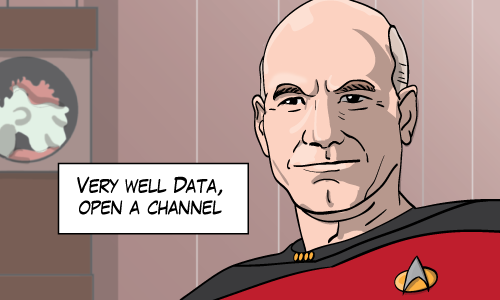
Star Trek's Jean Luc Picard says "Very well Data, open a channel"
Connections are made to Redshift only through ODBC (or JDBC) using Postgres drivers. Some challenges:

  • Picking my way through 32 bit vs 64 bit was tricky. Getting and using the right driver took some care.
  • Uploading through this connection is slow. So don’t try it this way. I mean it’s possible, but it’s simply not recommended. I learned this lesson not by reading through Amazon docs, but by attempting to run an SSIS job to funnel data into an ODBC destination. It was actually working, but it was impractical because it was so slow.

Creating the warehouse schema wasn’t too hard: I scripted a subset of tables from an existing warehouse. I stripped indexes, constraints and identities. There were a couple syntax differences (int becomes integer, bit becomes boolean, and GO becomes semicolon) but it went pretty smooth. For Redshift, in lieu of indexes, you choose columns on each table for the distribution key and the sort key. Underneath the covers, Redshift uses ParAccel and so if you’re familiar with that, you’ve got a great head start. Otherwise, Amazon’s Developer Guide is a good start. I’d like to hear more from others who know more about modeling for Redshift; it seems like a regular star schema will work well here.

Loading data is best through S3

I created a SSIS package that takes data from my relational warehouse. It takes that data and dumps it into delimited files (Hat tip to @peschkaj for advice on delimiter values). Then I gzipped the whole thing. I loaded those gzipped files into Amazon S3 and loaded data into Redshift using those files. Initially, I was afraid of Amazon S3 (What? I have to sign up for and learn about another service?) but working with Amazon S3 was dead simple.

Consuming data

I connected a Tableau client to Redshift using an ODBC connection. This Tableau discussion tells me that’s the current way to connect Tableau and Redshift. There are quite a few SQL limitations imposed by the ODBC protocol. So the Tableau experience was not too smooth. Tableau has a new Redshift connector coming out in a matter of weeks which should clear these limitations.
The point is that Amazon claims Redshift integrates seamlessly with a list of reporting apps (including Tableau). I believe it really will by the time Redshift is released, it’s just right now there’s a pretty big seam.

Next?

I’m going to get around to evaluating Google Big Query and of course Microsoft’s HDInsight. You might notice that lately, I find myself in a phase of learning (fun!) and so this post and the next few will be a description of my exploration.

December 18, 2012

A Grade School Data Project

Filed under: Miscelleaneous SQL,SQLServerPedia Syndication — Michael J. Swart @ 12:00 pm

This post is a story about my daughter’s school project with a plug for Wolfram Alpha and maybe Excel.

My daughter came to me the other day and asked me to help her with some homework… She said she needed data. She was learning about plotting graphs in math class and she was asked to bring in some data that she could plot. Learning, Math, Data. I felt pretty proud (Just as any parent might when kids take an interest in their profession.)

Personally, I thought this was great! My kid is asking me about data! At the very least, I could explain to her a little better what it is that I do at work. At best maybe she could “catch” what that I like about the topic.

The project itself was pretty straightforward. The students were asked to bring in a list of numbers that they could use in class to create a chart. The data could be about anything and there were extra marks for plotting two series instead of one.

What We Did

So I asked my daughter what she wanted to bring… it could be anything she was curious about. Eventually we:

  • We started at Wolfram Alpha
  • And we picked the local temperature for 2012.
  • For the extra series, I picked temperature for a location that I thought would contrast well with the local temperature. That location was Sydney Australia.
  • This led me to search Wolfram Alpha for 2012 temperature for Kitchener, Canada and Sydney, Australia
  • But we needed the data points, this led me to use the most beautiful and useful feature that Wolfram Alpha provides, Data Download:
  • A little hidden, but super-useful

    Pretty much the only feature analysts need

  • It was the work of a minute (using Excel) to summarize the average monthly temperatures for both cities. I got the data into the right shape, created a pivot table, and adjusted some of the filters.

After everything was done, the chart itself was interesting. As I expected, the average temperature (here) reaches its maximum in July and we saw the opposite trend in Australia. One surprising thing was that the temperatures varies very little in Sydney. It looks like 10°C (50 °F) is a very cold day in Australia. So the numbers confirmed what we guessed and showed us something new… Not bad.

Keeping away from SQL Server (For Now)

Not once did I even mention or use SQL Server or tables or databases. And I didn’t dwell on the Excel features. I just explained what we were looking at. In this case, I thought that it was better to show what the data tools could do before showing how they do it.

Missed Opportunitiy?

But I feel like I must have missed out on something here. Don’t you think so? Tracking temperature is kind of boring…  I felt like a carpenter who was trying to show off what could be done with a router but ending up with a birdhouse. What kind of data would you have picked? I tried to think of something that’s actually interesting or useful but came up empty and went with average temperature. If you have any better ideas, let me know.

December 5, 2012

Well That Wasn’t Obvious

Filed under: Miscelleaneous SQL,SQLServerPedia Syndication,Technical Articles — Michael J. Swart @ 12:00 pm

I’ve discovered that non-intuitive lessons stick in the brain the best. I share three examples that I either learned recently (or at least re-learned recently).

Uniqueifiers on Indexes That I Thought Shouldn’t Need Them

Do you remember what a Uniquifier is? SQL Server uses these hidden values on rows to keep non-clustered indexes in sync with their non-unique clustered indexes. Think of this questionable schema:

create table Actors
(
	ActorId int identity not null,
	LastName nvarchar(100) not null,
	FirstName nvarchar(100) not null,
	AgentId int null,
	primary key nonclustered (ActorId)
)
 
create clustered index IX_Actors
	on Actors(LastName, FirstName)

Then add some data:

insert Actors (LastName, FirstName, AgentId)
values ('Douglas', 'Michael', 3),
       ('Douglas', 'Michael', 4),
       ('Keaton', 'Michael', 5),
       ('Douglas', 'Kirk', 4)

I can demonstrate the uniquifier value here because of the non-unique clustered index:

select sys.fn_PhysLocFormatter (%%physloc%%) as [physical rid], *
from Actors -- in my case, this shows page 231
 
DBCC TRACEON (3604);
DECLARE @dbid int = DB_ID(); 
DBCC PAGE(@dbid, 1, 231, 3); 
 
/* showing (among other things):
...
Slot 1 Offset 0x60 Length 51
UNIQUIFIER = 0                       
LastName = Douglas                   
FirstName = Michael                  
ActorId = 1                          
AgentId = 3                          
KeyHashValue = (16035ff378a3)        
 
Slot 2 Offset 0x93 Length 55
UNIQUIFIER = 1                       
LastName = Douglas                   
FirstName = Michael                  
ActorId = 2                          
AgentId = 4                          
KeyHashValue = (16035e22af06)        
...
*/

Cool! Just like real life (See Michael Douglas (I – XXVI) at IMDB). This uniquifier value behaves very much like the roman numerals you see at IMDB.

Here’s the part that wasn’t obvious… what if I chose a clustered index whose columns include the primary key…

drop index IX_Actors ON Actors;
create clustered INDEX IX_Actors
	ON Actors(LastName, FirstName, ActorId)

That should be unique right? The index includes the primary key column (ActorId) that guarantees it. So SQL Server shouldn’t need the uniquifier right?

But it does! 

SQL Server doesn’t count on the index being unique unless you say so. I actually discovered the above while using Kendra Little’s sp_BlitzIndex, a tool so underexposed it’s pasty.

UPDATE Modifies Column Values Only Once

What does the following code produce?

-- set up test table 
declare @test TABLE (id int, value int);
declare @source TABLE (id int, increment int);
 
insert @test (id, value)
values (1, 0), (2, 0)
 
insert @source (id, increment)
values (1, 10),(1, 20),(1, 30),(2, 100),(2, 100),(2, 100)
 
-- "sum": add each value in the source to the existing value
update @test 
set value = value + increment
from @test t
join @source s
    on s.id = t.id
 
-- check the results
select id, value
from @test
/* The results:
id          value
----------- -----------
1           10
2           100
*/

Surprised? I think this example (or one very much like it) surprises those of us who started our careers as programmers. Many of us follow up this lesson with the related “UPDATE statements don’t have GROUP BY clauses” and then the lesson “How do I use CTEs?”

Indexed Views Don’t Support Max/Min Aggregates

Indexed views support a couple aggregate functions like COUNT_BIG() and SUM(). And with some trickery you can calculate AVG() and STDEV(). But SQL Server restricts the use of MAX() and MIN() in indexed views despite how useful they’d be.

It might help to understand why. SQL Server maintains indexed views as physical database objects and it can maintain aggregate values like COUNT() and SUM() by processing only the changing rows in the base table while safely ignoring the rest of the table. But I can’t say the same for MAX() or MIN(). If SQL Server supported MAX() and MIN() in indexed views, then when you delete the row in the base table that represents the MAX() value, SQL Server would have to search the rest of the base table to find the new MAX() value.

Check out the microsoft.connect feature suggestion Expand aggregate support in indexed views (MIN/MAX). Aaron Bertrand created this Connect suggestion and I like it because it shows how effective constructive feedback can be. I like it because of its description, comments and the useful workaround. The Microsoft team even gave some insight into how they almost included this feature in SQL 2008. This connect item only seems to be lacking an E.T.A. so go and cast your vote!

Bonus Content

I didn’t draw any illustrations this week so I’m including some bonus content (admittedly written by others):

Non-obvious Things From Twitter Friends

Request for Tweets: What thing in sql surprised you? Something not obvious. For me it was how the TRY and CATCH didn't always.

 I love how the log shipping "use default data and log folders" ... doesn't

how about how INSERT <tbl> VALUES (1),(2),(3) limits you to 1000 entries

Rolling time-window filtered index. The cool surprise - building each new index uses the existing one, so it's really quick.

Trivia

  • Did you know Michael Keaton (born Michael Douglas) changed his name to avoid confusion with that other guy? Pretty wise.
  • Jes Schultz Borland reminded me recently that good writers use more active verbs. I took that advice to heart and turned the writing of this article into an exercise. I avoided using words like is, was or are here and I think it turned out pretty well.

November 22, 2012

Creativity, Birthdays and Were Snarf

Filed under: Miscelleaneous SQL,Tongue In Cheek — Michael J. Swart @ 12:00 pm

It’s American thanksgiving, and coincidentally my birthday today. I’m here at work (like a sucker) while those of you south of the border are travelling, eating, talking and thanking.

But working is a pretty good consolation prize. The alternative – not working – would definitely be worse and I’m thankful that I’m employed. I work with a great bunch of people. They’re super-creative and I do my best to fit in. What I mean, is that I’m not the best artist where I work. We have professional graphic designers on staff and I stare at what they do with envy.

But it goes beyond that too. I’m not even the best artist in my group. I work with a QA Analyst Brandon Oliver who draws for twxxd. He recently learned that it was my birthday coming up and whether he could draw something for me. I came up with the coolest thing that I could think of on such short notice: I asked “Draw a character that would be to Snarf as Chewbacca is to an Ewok”. (If you understood any of those pop-culture references in that sentence, then congratulations! You’re my kind of people) And Brandon delivered:

Were Snarf

Were Snarf by Brandon Oliver

My Wish

So for my birthday, I don’t want anything. But if you want to, you could do me a favor: Pick one if you’ve got time.

  • Do something creative and then post a link in the comments
  • Or if you don’t have time, think of something cool (and nerdy/database-y as you wanna be). I’ll pick the two or three coolest to draw and post here next week

September 21, 2012

Some Announcements

Filed under: Miscelleaneous SQL,SQLServerPedia Syndication — Michael J. Swart @ 10:36 am

Thought I’d mention a couple things that aren’t technical, but might interest you any way.

I'm hunting wabbits

I’m Changing Jobs

It’s true, I left my position as a Senior Database Developer at Desire2Learn. But I’ve accepted a new position at the same company (because Desire2Learn it just that cool) as a Data Warehouse Architect.

What this means for me: For me it means more focus, more BI, more data integration.

What this means for you: For you (dear blog reader) it means that the topics I write about could shift. I’ve never given myself restrictions on what I could and couldn’t write about. But I expect the new and different challenges I face to lead to new and different blog post topics. My hope is that instead of writing posts explaining how I prefer one technique over another, I’ll be writing posts explaining how I prefer one strategy over another. We’ll see what happens.

I’ve Joined TorPASS

 I’ve been asked to help reboot TorPASS Toronto’s SQL Server User group. I spoke at the first meeting along with Karen Lopez (@Datachick) and I thought it went well. Toronto’s SQL Server community deserves to be more active. I mean it certainly has the talent. I’m encouraged by the start.

What this means for me: I’ll be more involved with the local SQL Server community. My hope is that I get opportunities to speak a little more. Blogging has done wonders for my writing skills. So maybe speaking skills are next.

What this means for you: If you’re local great! I hope to see you come out some time. I’ve already met some great people. Even if you’re from another part of Southwestern Ontario… I’m hoping that maybe the group can hold a few meetings out this way (Kitchener-Waterloo). Stay tuned!

I’m Attending the PASS Summit

The PASS summit is the largest event dedicated to SQL Server. The first time I attended the summit was in 2009. For one reason or another I missed the next two. (I did catch the keynotes online though). Well this year, I’m not missing it. I’m coming to the PASS summit in Seattle and I’m psyched!

What this means for me: umm… the world.

What this means for you: If you’re coming too that’s great! I’d love to meet you. Introduce yourself to me, I look like that guy in the illustration above and if my memory serves correctly, it’s likely that I’ll be wearing some sort of over-sized conference badge with my name on it. Just know two things: (1) I have no dinner or lunch plans and (2) I like to talk about databases.

If you’re not coming to the summit that’s okay too. I know how you feel. Keep reading this blog. I’ll be writing about stuff I hear and learn and giving my take on it.

Cheers!

June 13, 2012

I’m Sharing My Story at SQL Brit’s Site

Filed under: Miscelleaneous SQL — Michael J. Swart @ 8:44 am

I’ve been lucky to be given the chance to ask other DBAs I admire about their stories.

Now it’s my turn to tell a bit more about how I got started. John Sansom is hosting a series of blog posts and I’m happy to be one of the first participants. Visit JohnSansom.com where I write about what does a typical day looks like for me. And I also give some advice for people looking to get started as a DB professional.

Check It Out Now

Click on the thumbnail:

Accidental DBA

« Newer PostsOlder Posts »

Powered by WordPress